Viewer
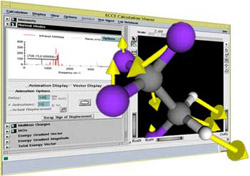
The Viewer provides convenient access to current information for a single calculation during execution or after completion. Its many features for viewing and visualizing chemical system properties make it the primary ECCE tool for reviewing and interpreting calculation results.
The right side of the Viewer displays 3D rendered images of the calculation's chemical system and properties. The left side contains a list of the results of the calculation and numerical data. By selecting an item from this list, the rendering on the right is updated to show this property in three dimensions. With the Viewer you can compute molecular orbitals, animate normal modes, watch a geometry optimization, display mulliken charges by coloring atoms, and more.
Images can be exported in a variety of formats (POV-Ray, postscript, rgb, gif, jpg, and tiff) for use in publications and presentations.
To learn more, use the Help menu from the Viewer application (this application was converted to use client-based help that isn't available from a web server).